



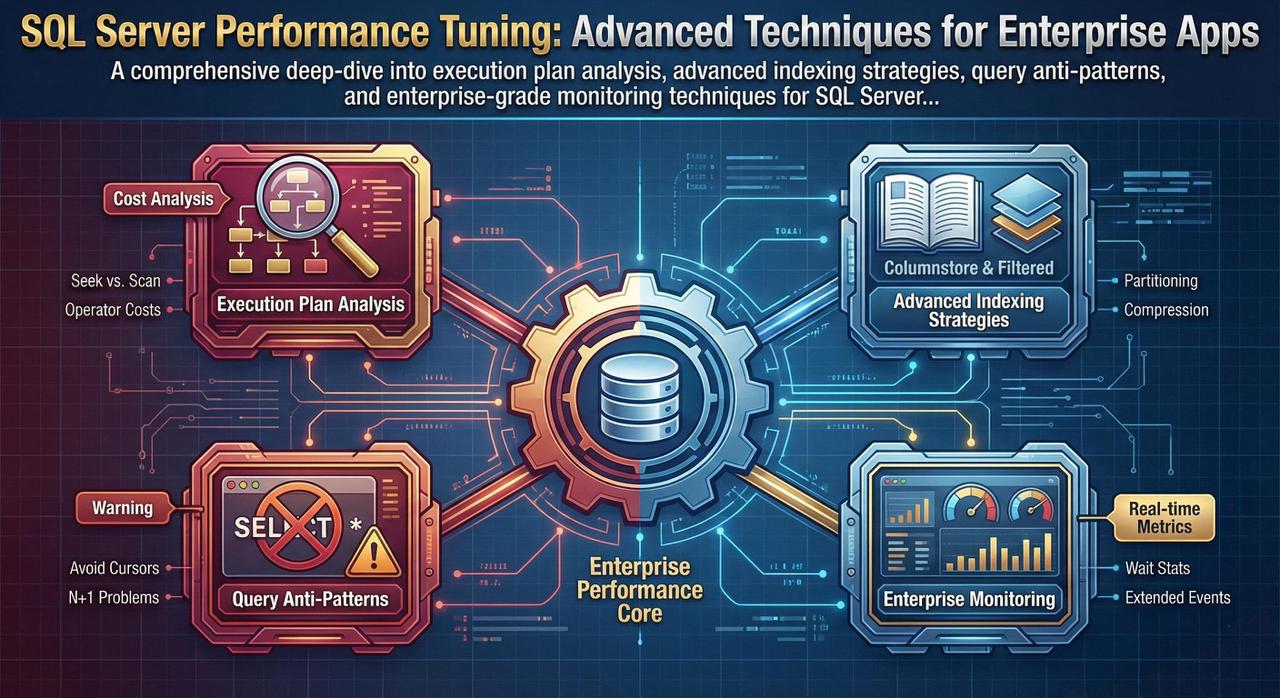
Database performance issues are insidious—they start small and compound over time until your application grinds to a halt. This guide is written for experienced DBAs and backend developers who need to move beyond the basics and implement enterprise-grade optimization strategies. We'll dissect execution plans, explore advanced indexing techniques, identify common query anti-patterns, and establish monitoring practices that prevent performance degradation before it impacts users.
Mastering Execution Plans: The Foundation of Optimization
Every performance tuning effort must begin with execution plans. They're the roadmap SQL Server uses to retrieve your data, and understanding them is non-negotiable for serious optimization work. Let's go beyond the basics and learn to read complex plans like a seasoned DBA.
Reading Complex Graphical Execution Plans
When you examine an execution plan, read it from right to left, bottom to top. Each operator shows its relative cost as a percentage—but don't trust these percentages blindly. They're estimates based on statistics that may be outdated. Instead, focus on actual vs. estimated row counts when using "Include Actual Execution Plan."
-- Always use actual execution plans for real analysis
SET STATISTICS IO ON;
SET STATISTICS TIME ON;

-- Your query here
SELECT o.OrderID, c.CustomerName, p.ProductName
FROM Orders o
INNER JOIN Customers c ON o.CustomerID = c.CustomerID
INNER JOIN OrderDetails od ON o.OrderID = od.OrderID
INNER JOIN Products p ON od.ProductID = p.ProductID
WHERE o.OrderDate >= '2024-01-01'
  AND c.Region = 'North America';

-- Check the Messages tab for IO and timing statistics
Critical Red Flags in Execution Plans
A Table Scan reads every row in the table—catastrophic for large tables. An Index Scan reads the entire index (better, but still problematic). What you want is an Index Seek, which goes directly to the relevant rows.
Fix: Create appropriate indexes on columns used in WHERE, JOIN, and ORDER BY clauses.
A Key Lookup occurs when SQL Server finds rows via a non-clustered index but must return to the clustered index to fetch additional columns. Each lookup is a separate IO operation.
Fix: Create covering indexes with INCLUDE columns, or reconsider which columns you're selecting.
Sort operators consume memory and can spill to tempdb if the data exceeds the memory grant. Look for the warning icon indicating tempdb spills.
Fix: Create indexes that match your ORDER BY clause, or reconsider if sorting is necessary at the database level.
When comparing columns of different data types, SQL Server performs implicit conversions. This prevents index usage and causes full scans. Look for CONVERT_IMPLICIT in the plan.
Fix: Ensure parameter types match column types. Use explicit CAST/CONVERT when necessary.
-- BAD: Implicit conversion (CustomerID is INT, but we're passing VARCHAR)
DECLARE @CustomerID VARCHAR(10) = '12345';
SELECT * FROM Orders WHERE CustomerID = @CustomerID;
-- This causes CONVERT_IMPLICIT and prevents index seek!

-- GOOD: Matching data types
DECLARE @CustomerID INT = 12345;
SELECT * FROM Orders WHERE CustomerID = @CustomerID;
-- This allows proper index seek
Estimated vs. Actual Row Counts
The most critical diagnostic is comparing estimated rows to actual rows. Large discrepancies indicate stale statistics or parameter sniffing issues:
- Estimated >> Actual: SQL Server over-allocated memory; query may run slower than necessary
- Estimated << Actual: Dangerous! May cause memory spills, hash bailouts, or nested loop joins on large datasets
Critical Warning
When actual rows exceed estimated rows by 10x or more, you likely have a statistics problem. Run UPDATE STATISTICS on the affected tables, or consider using OPTION (RECOMPILE) for queries with highly variable parameters.
Advanced Indexing Strategies
Clustered vs. Non-Clustered: Strategic Decisions
Your clustered index choice is the most important indexing decision you'll make. The clustered index determines the physical order of data on disk, and every non-clustered index includes the clustered key.
-- IDEAL clustered index characteristics:
-- 1. Narrow (small data type)
-- 2. Unique (or nearly unique)
-- 3. Static (rarely updated)
-- 4. Ever-increasing (for insert performance)

-- GOOD: Identity column (narrow, unique, static, ever-increasing)
CREATE CLUSTERED INDEX CIX_Orders_OrderID ON Orders(OrderID);

-- ACCEPTABLE: Date-based for time-series data
CREATE CLUSTERED INDEX CIX_Transactions_TransactionDate
ON Transactions(TransactionDate, TransactionID);

-- BAD: Wide, frequently updated column
-- CREATE CLUSTERED INDEX CIX_Customers_Email ON Customers(Email);
-- Email is wide (up to 255 chars) and may change
Covering Indexes with Included Columns
A covering index contains all columns needed by a query, eliminating key lookups entirely. Use INCLUDE for columns that are selected but not filtered or sorted:
-- Query we need to optimize:
SELECT OrderID, CustomerID, OrderDate, TotalAmount, Status
FROM Orders
WHERE CustomerID = @CustomerID AND Status = 'Pending'
ORDER BY OrderDate DESC;

-- Covering index (eliminates key lookups):
CREATE NONCLUSTERED INDEX IX_Orders_CustomerID_Status
ON Orders(CustomerID, Status, OrderDate DESC)
INCLUDE (TotalAmount);

-- Key columns: CustomerID, Status (for seeking), OrderDate (for sorting)
-- Included columns: TotalAmount (only needed in SELECT, not for filtering)
Filtered Indexes for Subset Queries
Filtered indexes are smaller, faster, and perfect for queries that consistently filter on specific values:
-- If 95% of queries only look at active orders:
CREATE NONCLUSTERED INDEX IX_Orders_Active
ON Orders(CustomerID, OrderDate)
INCLUDE (TotalAmount, Status)
WHERE Status = 'Active';

-- This index is much smaller than a full index
-- and is used automatically when WHERE Status = 'Active'

-- Filtered index for NULL handling (common pattern):
CREATE NONCLUSTERED INDEX IX_Orders_Unprocessed
ON Orders(OrderDate)
WHERE ProcessedDate IS NULL;
Columnstore Indexes for OLAP Workloads
For analytical queries scanning millions of rows, columnstore indexes provide 10-100x performance improvements through column-based storage and batch mode execution:
-- For a fact table with analytical queries:
CREATE CLUSTERED COLUMNSTORE INDEX CCI_SalesHistory
ON SalesHistory;

-- Or non-clustered for hybrid OLTP/OLAP:
CREATE NONCLUSTERED COLUMNSTORE INDEX NCCI_Orders_Analytics
ON Orders(OrderDate, CustomerID, ProductID, Quantity, TotalAmount)
WHERE OrderDate < DATEADD(MONTH, -1, GETDATE());

-- Columnstore excels at:
-- - Aggregations (SUM, AVG, COUNT)
-- - Large table scans
-- - Queries selecting few columns from wide tables
The Write Penalty: Understanding Index Overhead
Every index must be maintained during INSERT, UPDATE, and DELETE operations. Over-indexing is a common mistake that cripples write performance:
| Operation | Impact per Index | Recommendation |
|---|---|---|
| INSERT | Must update every index | Limit to 5-7 indexes per table |
| UPDATE (indexed column) | Delete + Insert in each affected index | Avoid indexing frequently updated columns |
| DELETE | Must remove from every index | Consider soft deletes for high-volume tables |
Query Anti-Patterns That Kill Performance
Anti-Pattern 1: Functions in WHERE Clauses
-- BAD: Function on column prevents index usage
SELECT * FROM Orders
WHERE YEAR(OrderDate) = 2024 AND MONTH(OrderDate) = 11;
-- This causes a full table/index scan!

-- GOOD: Sargable predicate allows index seek
SELECT * FROM Orders
WHERE OrderDate >= '2024-11-01' AND OrderDate < '2024-12-01';
-- This uses an index seek on OrderDate

-- BAD: UPPER/LOWER on columns
SELECT * FROM Customers WHERE UPPER(Email) = 'JOHN@EXAMPLE.COM';

-- GOOD: Store normalized data or use computed columns
SELECT * FROM Customers WHERE Email = 'john@example.com';
-- Or create a computed column with an index
Anti-Pattern 2: The N+1 Query Problem
-- BAD: Application code that causes N+1 queries
-- First query: Get all orders
SELECT OrderID FROM Orders WHERE CustomerID = @CustomerID;
-- Then for EACH order (N queries):
SELECT * FROM OrderDetails WHERE OrderID = @OrderID;

-- GOOD: Single query with JOIN
SELECT o.OrderID, o.OrderDate, od.ProductID, od.Quantity, od.UnitPrice
FROM Orders o
INNER JOIN OrderDetails od ON o.OrderID = od.OrderID
WHERE o.CustomerID = @CustomerID;

-- Or use a stored procedure that returns multiple result sets
Anti-Pattern 3: SELECT * in Production
-- BAD: SELECT * fetches all columns
SELECT * FROM Orders WHERE CustomerID = @CustomerID;
-- Problems:
-- 1. Prevents covering index usage
-- 2. Transfers unnecessary data over network
-- 3. Breaks if table schema changes

-- GOOD: Explicit column list
SELECT OrderID, OrderDate, TotalAmount, Status
FROM Orders
WHERE CustomerID = @CustomerID;
-- Benefits:
-- 1. Can be covered by an index
-- 2. Minimal data transfer
-- 3. Explicit contract with application
Anti-Pattern 4: Correlated Subqueries
-- BAD: Correlated subquery executes once per row
SELECT c.CustomerName,
       (SELECT COUNT(*) FROM Orders o WHERE o.CustomerID = c.CustomerID) AS OrderCount
FROM Customers c;

-- GOOD: JOIN with aggregation
SELECT c.CustomerName, COUNT(o.OrderID) AS OrderCount
FROM Customers c
LEFT JOIN Orders o ON c.CustomerID = o.CustomerID
GROUP BY c.CustomerID, c.CustomerName;

-- BETTER for complex scenarios: CTE or derived table
WITH OrderCounts AS (
    SELECT CustomerID, COUNT(*) AS OrderCount
    FROM Orders
    GROUP BY CustomerID
)
SELECT c.CustomerName, ISNULL(oc.OrderCount, 0) AS OrderCount
FROM Customers c
LEFT JOIN OrderCounts oc ON c.CustomerID = oc.CustomerID;
Monitoring Tools: Extended Events and Query Store
Extended Events: Lightweight Production Monitoring
Extended Events replaced SQL Trace/Profiler as the recommended monitoring solution. They're lightweight enough for production use:
-- Create an Extended Events session for slow queries
CREATE EVENT SESSION [SlowQueries] ON SERVER
ADD EVENT sqlserver.sql_statement_completed(
    ACTION(sqlserver.sql_text, sqlserver.database_name, sqlserver.username)
    WHERE ([duration] > 5000000)  -- 5 seconds in microseconds
)
ADD TARGET package0.event_file(SET filename=N'SlowQueries.xel', max_file_size=100)
WITH (MAX_MEMORY=4096 KB, EVENT_RETENTION_MODE=ALLOW_SINGLE_EVENT_LOSS);

-- Start the session
ALTER EVENT SESSION [SlowQueries] ON SERVER STATE = START;

-- Query the results
SELECT
    event_data.value('(event/@timestamp)[1]', 'datetime2') AS event_time,
    event_data.value('(event/data[@name="duration"]/value)[1]', 'bigint')/1000000.0 AS duration_seconds,
    event_data.value('(event/action[@name="sql_text"]/value)[1]', 'nvarchar(max)') AS sql_text
FROM (
    SELECT CAST(event_data AS XML) AS event_data
    FROM sys.fn_xe_file_target_read_file('SlowQueries*.xel', NULL, NULL, NULL)
) AS events;
Query Store: Your Performance Time Machine
Query Store captures query plans and runtime statistics over time, enabling you to identify regressions and force optimal plans:
-- Enable Query Store (SQL Server 2016+)
ALTER DATABASE YourDatabase SET QUERY_STORE = ON;
ALTER DATABASE YourDatabase SET QUERY_STORE (
    OPERATION_MODE = READ_WRITE,
    CLEANUP_POLICY = (STALE_QUERY_THRESHOLD_DAYS = 30),
    DATA_FLUSH_INTERVAL_SECONDS = 900,
    MAX_STORAGE_SIZE_MB = 1000,
    INTERVAL_LENGTH_MINUTES = 60
);

-- Find top resource-consuming queries
SELECT TOP 20
    q.query_id,
    qt.query_sql_text,
    SUM(rs.count_executions) AS total_executions,
    SUM(rs.avg_duration * rs.count_executions) / 1000000.0 AS total_duration_seconds,
    AVG(rs.avg_duration) / 1000.0 AS avg_duration_ms,
    AVG(rs.avg_logical_io_reads) AS avg_logical_reads
FROM sys.query_store_query q
JOIN sys.query_store_query_text qt ON q.query_text_id = qt.query_text_id
JOIN sys.query_store_plan p ON q.query_id = p.query_id
JOIN sys.query_store_runtime_stats rs ON p.plan_id = rs.plan_id
GROUP BY q.query_id, qt.query_sql_text
ORDER BY total_duration_seconds DESC;

-- Force a specific plan for a regressed query
EXEC sp_query_store_force_plan @query_id = 42, @plan_id = 17;
Conclusion: Building a Performance Culture
SQL Server performance tuning isn't a one-time activity—it's an ongoing discipline. The techniques covered in this guide form the foundation, but sustainable performance requires:
- Proactive monitoring: Set up alerts for query regressions, blocking, and resource pressure before users complain
- Regular maintenance: Schedule index rebuilds, statistics updates, and integrity checks during maintenance windows
- Code reviews: Include query plan analysis in your development workflow—catch performance issues before they reach production
- Capacity planning: Monitor growth trends and plan hardware upgrades before you hit limits
- Documentation: Document your indexing strategy, maintenance schedules, and known performance patterns
Remember: the goal isn't to make every query as fast as possible—it's to ensure your database can handle your workload reliably while meeting your SLAs. Focus your optimization efforts on the queries that matter most, and always measure the impact of your changes.