


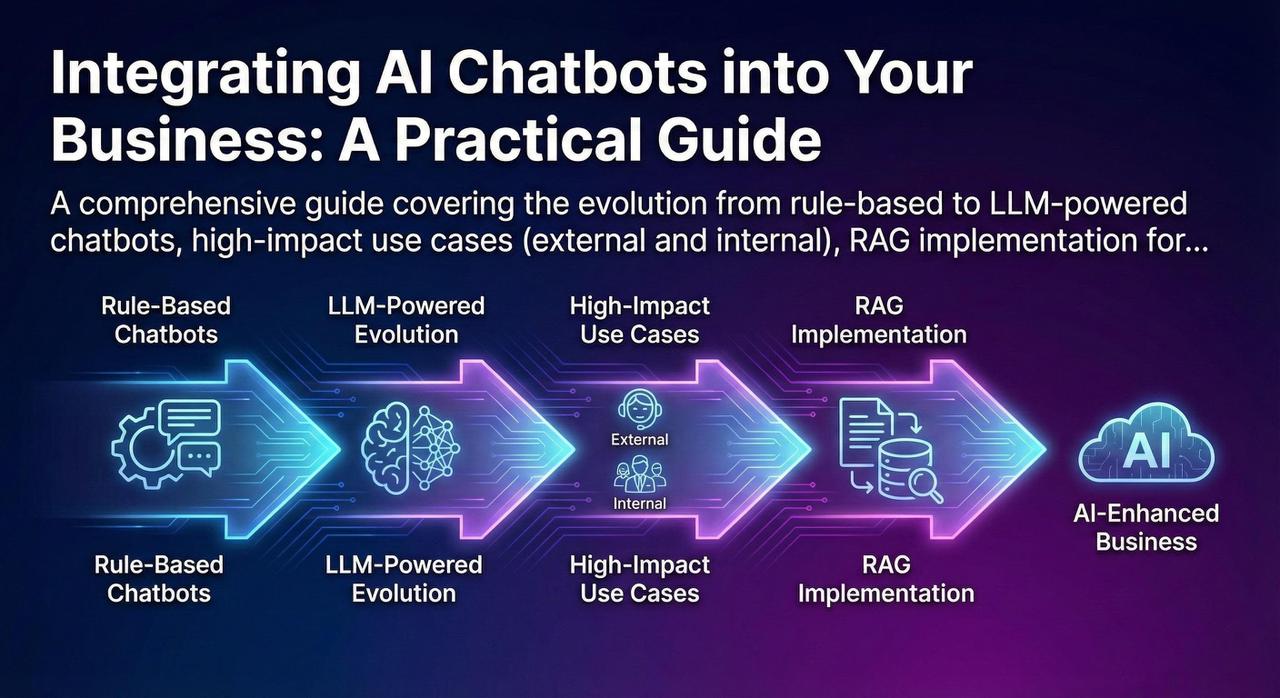
The chatbot landscape has undergone a seismic shift. The rule-based bots of yesterday—with their rigid decision trees and frustrating "I don't understand" responses—have given way to AI agents powered by Large Language Models that can engage in nuanced, context-aware conversations. This guide provides a practical roadmap for implementing modern AI chatbots, from identifying high-impact use cases to building robust RAG systems and implementing critical guardrails.
The Evolution: From Rule-Based to LLM-Powered Agents
The Old World: Rule-Based Chatbots
Traditional chatbots operated on explicit rules and decision trees. They could handle predefined scenarios but failed spectacularly when users deviated from expected paths.
// Traditional rule-based approach
if (intent === "check_order_status") {
    if (hasOrderNumber) {
        return lookupOrder(orderNumber);
    } else {
        return "Please provide your order number.";
    }
} else if (intent === "return_item") {
    // Another rigid branch...
} else {
    return "I'm sorry, I don't understand. Please contact support.";
}

// Problems:
// - Can't handle variations in phrasing
// - No context awareness between turns
// - Requires manual rule creation for every scenario
// - Fails ungracefully on unexpected inputs
The New World: LLM-Powered AI Agents
Modern AI chatbots leverage Large Language Models (GPT-4, Claude, Llama) that understand natural language, maintain context across conversations, and can reason about complex queries.
| Capability | Rule-Based | LLM-Powered |
|---|---|---|
| Language Understanding | Keyword matching, intent classification | Deep semantic understanding |
| Context Handling | Limited slot-filling | Multi-turn conversation memory |
| Response Generation | Template-based | Dynamic, contextual responses |
| Handling Edge Cases | Fails or escalates | Graceful degradation, reasoning |
| Setup Effort | High (manual rule creation) | Lower (prompt engineering) |
| Maintenance | Constant rule updates | Prompt refinement, RAG updates |
High-Impact Use Cases
External Use Cases (Customer-Facing)
Impact: 40-60% ticket deflection, 24/7 availability
Best For: FAQ handling, order status, account inquiries, troubleshooting guides
Key Metric: Resolution rate without human escalation
Impact: 15-25% increase in conversion, higher AOV
Best For: Product recommendations, size/fit guidance, comparison shopping
Key Metric: Assisted conversion rate, average order value
Impact: 70% reduction in scheduling calls
Best For: Healthcare, professional services, B2B sales
Key Metric: Booking completion rate, no-show reduction
Impact: 3x more qualified leads to sales team
Best For: B2B SaaS, real estate, financial services
Key Metric: Lead-to-opportunity conversion rate
Internal Use Cases (Employee-Facing) — Often Overlooked
Internal chatbots often deliver higher ROI than customer-facing ones because they reduce friction for expensive knowledge workers.
Problem: HR teams spend 40% of time answering repetitive policy questions
Solution: AI assistant trained on employee handbook, benefits docs, leave policies
Impact: 60% reduction in HR ticket volume
Example: "How many sick days do I have left?" "What's the parental leave policy?"
Problem: IT support overwhelmed with password resets, VPN issues, software requests
Solution: AI assistant with self-service capabilities and guided troubleshooting
Impact: 50% ticket deflection, faster resolution
Example: "How do I connect to VPN?" "Request access to Salesforce"
Problem: Employees spend 20% of time searching for information across wikis, docs, Slack
Solution: AI assistant that searches and synthesizes across all internal knowledge bases
Impact: 30% productivity improvement for knowledge workers
Example: "What's our pricing for enterprise customers?" "Find the Q3 sales deck"
Problem: Developers waste time on boilerplate, documentation lookup, debugging
Solution: AI assistant trained on codebase, internal APIs, architecture docs
Impact: 25% faster development velocity
Example: "How do I authenticate with our payment service?" "Generate a CRUD endpoint for orders"
The Technical Implementation: RAG (Retrieval-Augmented Generation)
Here's a critical insight: you cannot simply "train" an LLM on your business data. Fine-tuning is expensive, requires significant data, and the model can still hallucinate. The solution is RAG—Retrieval-Augmented Generation.
How RAG Works
█Œ─────────────────────────────────────────────────────────────────────┐
│                         RAG Pipeline                                 │
└─────────────────────────────────────────────────────────────────────█˜

1. INDEXING (Offline, one-time setup)
   █Œ──────────────┐     █Œ──────────────┐     █Œ──────────────┐
   │   Documents  │────█¶│   Chunking   │────█¶│  Embedding   │
   │  (PDFs, docs,│     │  (Split into │     │  (Convert to │
   │   wikis)     │     │   passages)  │     │   vectors)   │
   └──────────────█˜     └──────────────█˜     └──────█¬───────█˜
                                                    │
                                                    ۬
                                            █Œ──────────────┐
                                            │   Vector DB  │
                                            │  (Pinecone,  │
                                            │   Weaviate)  │
                                            └──────────────█˜

2. RETRIEVAL + GENERATION (Runtime, per query)
   █Œ──────────────┐     █Œ──────────────┐     █Œ──────────────┐
   │  User Query  │────█¶│   Embed      │────█¶│   Vector     │
   │  "What's our │     │   Query      │     │   Search     │
   │   refund     │     │              │     │   (Top K)    │
   │   policy?"   │     └──────────────█˜     └──────█¬───────█˜
   └──────────────█˜                                 │
                                                    │ Retrieved passages
                                                    ۬
                                            █Œ──────────────┐
                                            │   LLM with   │
                                            │   Context    │
                                            │              │
                                            │ "Based on    │
                                            │  the refund  │
                                            │  policy doc, │
                                            │  customers   │
                                            │  can..."     │
                                            └──────────────█˜
RAG Implementation Example
from langchain.document_loaders import DirectoryLoader
from langchain.text_splitter import RecursiveCharacterTextSplitter
from langchain.embeddings import OpenAIEmbeddings
from langchain.vectorstores import Pinecone
from langchain.chat_models import ChatOpenAI
from langchain.chains import RetrievalQA

# Step 1: Load and chunk documents
loader = DirectoryLoader('./knowledge_base/', glob="**/*.pdf")
documents = loader.load()

text_splitter = RecursiveCharacterTextSplitter(
    chunk_size=1000,
    chunk_overlap=200,
    separators=["\n\n", "\n", " ", ""]
)
chunks = text_splitter.split_documents(documents)

# Step 2: Create embeddings and store in vector DB
embeddings = OpenAIEmbeddings(model="text-embedding-3-small")
vectorstore = Pinecone.from_documents(
    chunks,
    embeddings,
    index_name="company-knowledge"
)

# Step 3: Create retrieval chain
llm = ChatOpenAI(model="gpt-4-turbo", temperature=0)
qa_chain = RetrievalQA.from_chain_type(
    llm=llm,
    chain_type="stuff",
    retriever=vectorstore.as_retriever(search_kwargs={"k": 5}),
    return_source_documents=True
)

# Step 4: Query
response = qa_chain.invoke({
    "query": "What is our refund policy for enterprise customers?"
})
print(response["result"])
print("Sources:", [doc.metadata for doc in response["source_documents"]])
Why RAG Works
RAG grounds the LLM's responses in your actual business data. Instead of relying on the model's training data (which may be outdated or irrelevant), the model generates responses based on retrieved, authoritative documents. This dramatically reduces hallucinations and ensures accuracy.
UX and Guardrails: Preventing Hallucinations and Failures
The biggest risk with LLM-powered chatbots is hallucination—confidently generating incorrect information. Robust guardrails are essential.
Essential Guardrails
Explicitly define what the chatbot can and cannot do. Reject out-of-scope queries gracefully.
system_prompt = """
You are a customer support assistant for Acme Corp.
You can ONLY answer questions about:
- Order status and tracking
- Return and refund policies
- Product information

You CANNOT:
- Provide medical, legal, or financial advice
- Make promises about pricing or discounts
- Access or modify customer accounts

If asked about anything outside your scope,
politely redirect to human support.
"""When retrieval confidence is low, acknowledge uncertainty rather than guessing.
def generate_response(query, retrieved_docs):
    # Check retrieval relevance
    if max_similarity_score < 0.7:
        return {
            "response": "I'm not confident I have
            accurate information about this.
            Let me connect you with a specialist.",
            "escalate": True
        }
# Proceed with generation...Always cite sources so users can verify information and build trust.
Response: "Our refund policy allows
returns within 30 days of purchase
for a full refund."

📄 Source: Refund Policy Document
   (Updated: Oct 2025)
Section: Consumer ReturnsAlways provide a clear path to human support. Never trap users in a bot loop.
Escalation triggers:
- User explicitly requests human
- Sentiment analysis detects frustration
- Same question asked 3+ times
- Query involves account changes
- Complaint or legal mention

"I want to make sure you get the
best help. Let me connect you with
a specialist. [Connect to Agent]"
Conversation Design Best Practices
- Set expectations upfront: "I'm an AI assistant. I can help with orders, returns, and product questions. For account changes, I'll connect you with our team."
- Confirm understanding: "Just to confirm, you're asking about the return policy for electronics purchased online. Is that correct?"
- Provide structured options: When queries are ambiguous, offer clear choices rather than guessing.
- Graceful failure: "I don't have enough information to answer that accurately. Here's what I can help with: [options]"
- Feedback loops: "Was this helpful? [Yes/No]" — use this data to improve.
Measuring Success: Key Metrics
| Metric | Definition | Target |
|---|---|---|
| Containment Rate | % of conversations resolved without human escalation | 60-80% |
| CSAT (Customer Satisfaction) | Post-conversation satisfaction rating | >4.0/5.0 |
| First Response Time | Time to first bot response | <2 seconds |
| Resolution Time | Total time to resolve query | <3 minutes |
| Hallucination Rate | % of responses with factual errors (sampled) | <2% |
| Escalation Rate | % of conversations escalated to humans | 20-40% |
Conclusion: Start Small, Iterate Fast
Implementing AI chatbots is a journey, not a destination. Key takeaways:
- Start with high-volume, low-risk use cases: FAQ handling, order status, appointment scheduling. Build confidence before tackling complex scenarios.
- RAG is your friend: Don't try to fine-tune LLMs on your data. Use retrieval-augmented generation to ground responses in authoritative sources.
- Guardrails are non-negotiable: Scope limitation, confidence thresholds, source attribution, and human escalation paths are essential.
- Measure relentlessly: Track containment rate, CSAT, and hallucination rate. Use feedback to continuously improve.
- Don't forget internal use cases: HR assistants, IT helpdesk, and knowledge search often deliver higher ROI than customer-facing bots.
The organizations that succeed with AI chatbots are those that treat them as products—continuously iterating based on user feedback, measuring outcomes, and expanding capabilities incrementally. Start small, prove value, and scale.